Dive in with a plan, not a guess.
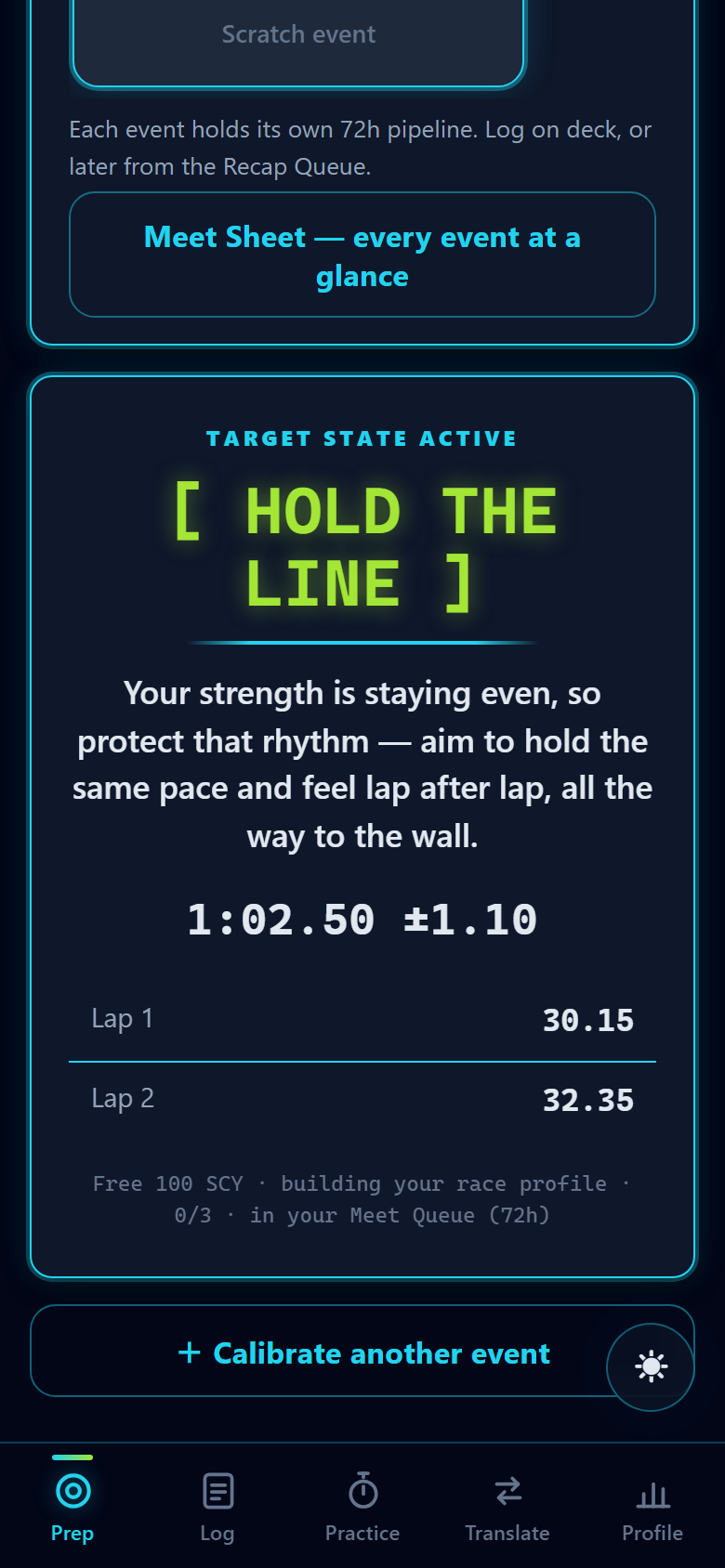
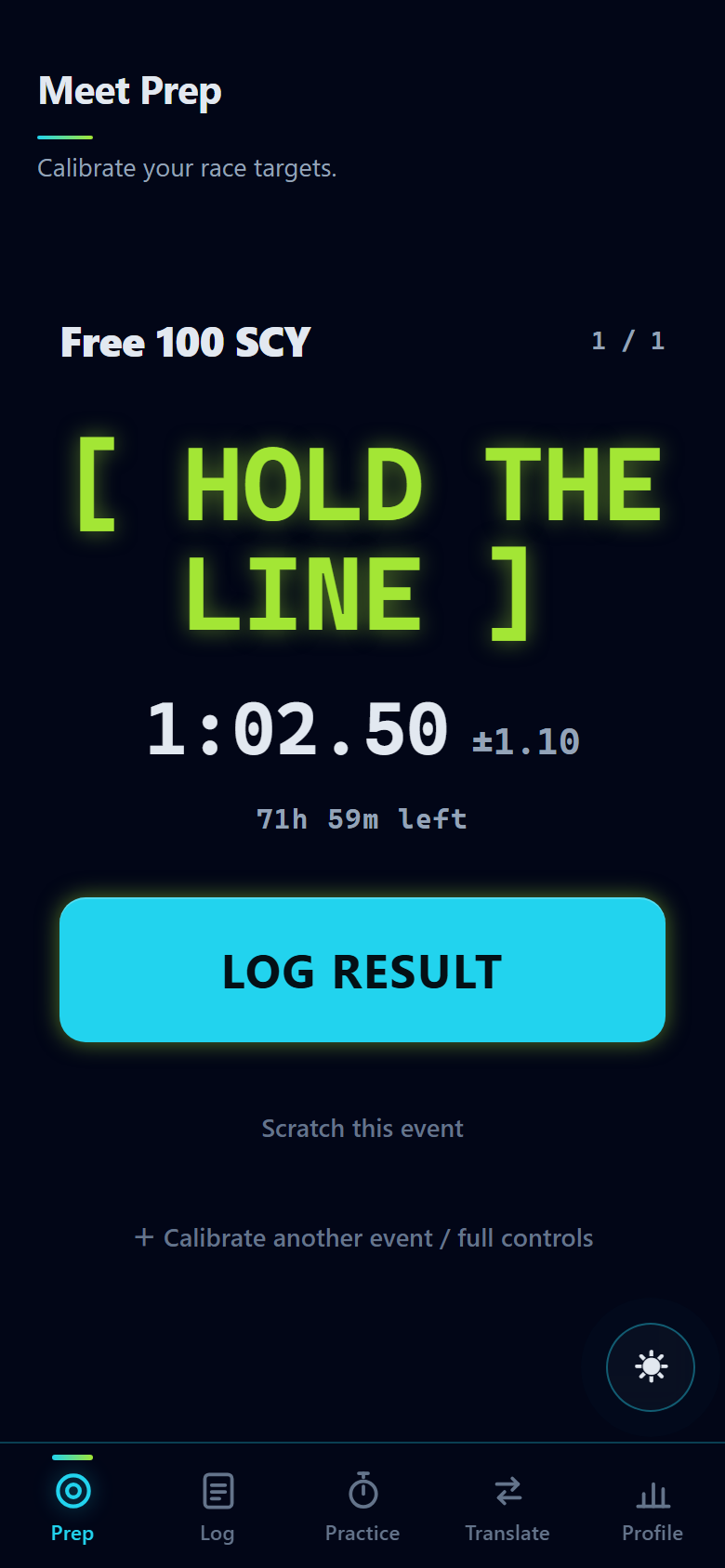
Vecqua works out what each 50 should take in today's pool, then gives you one simple line to hold onto while you swim. Train to the splits. Race the cue.
No account. Installs to your home screen. Works with the meet Wi-Fi dead.
Your cue — chosen for how you actually race
Projected finish in today's pool
Warm, outdoor, wave-killing lane lines · 72h meet pipeline open
Four moments. One engine behind all of them.
Vecqua isn't a stopwatch and it isn't a training log. It's the thing you open in the ninety seconds before your heat — and again the moment you climb out.
Calibrate
Enter your seed and the pool you're in — warm water, outdoor glare, lane lines that actually kill waves. Out comes a projection, an honest confidence band, and your per-50 targets.
Hold one cue
Split targets are for training. On the block you get one line — [ HOLD THE LINE ] — matched to whether you fade, front-load, or close. Deck mode makes it readable at arm's length in the sun.
Log it in seconds
Copy the wall times straight off the scoreboard — the last lap fills itself in. Only caught the final time? That's enough. PBs, splits and deltas bank themselves.
Watch it sharpen
Every logged race teaches the engine how you convert between courses and what your walls are worth. The projections stop being generic and start being yours.
The whole race day, on your phone.
No dashboards to learn. Three taps before your heat, one line on the block, and it all banks itself when you touch the wall.
A short-course best is not a long-course plan.
Converting a time isn't multiplication. A 100 free in a long-course pool has two fewer walls to push off, the water feels different at eight in the morning, and a tired fly leg decays differently than a free leg.
Vecqua models each of those separately, then shows you the band it's confident within — and widens that band when it hasn't seen enough of your races to be sure. It will never hand you a precise-looking number it hasn't earned.
It scores your honesty, not your speed.
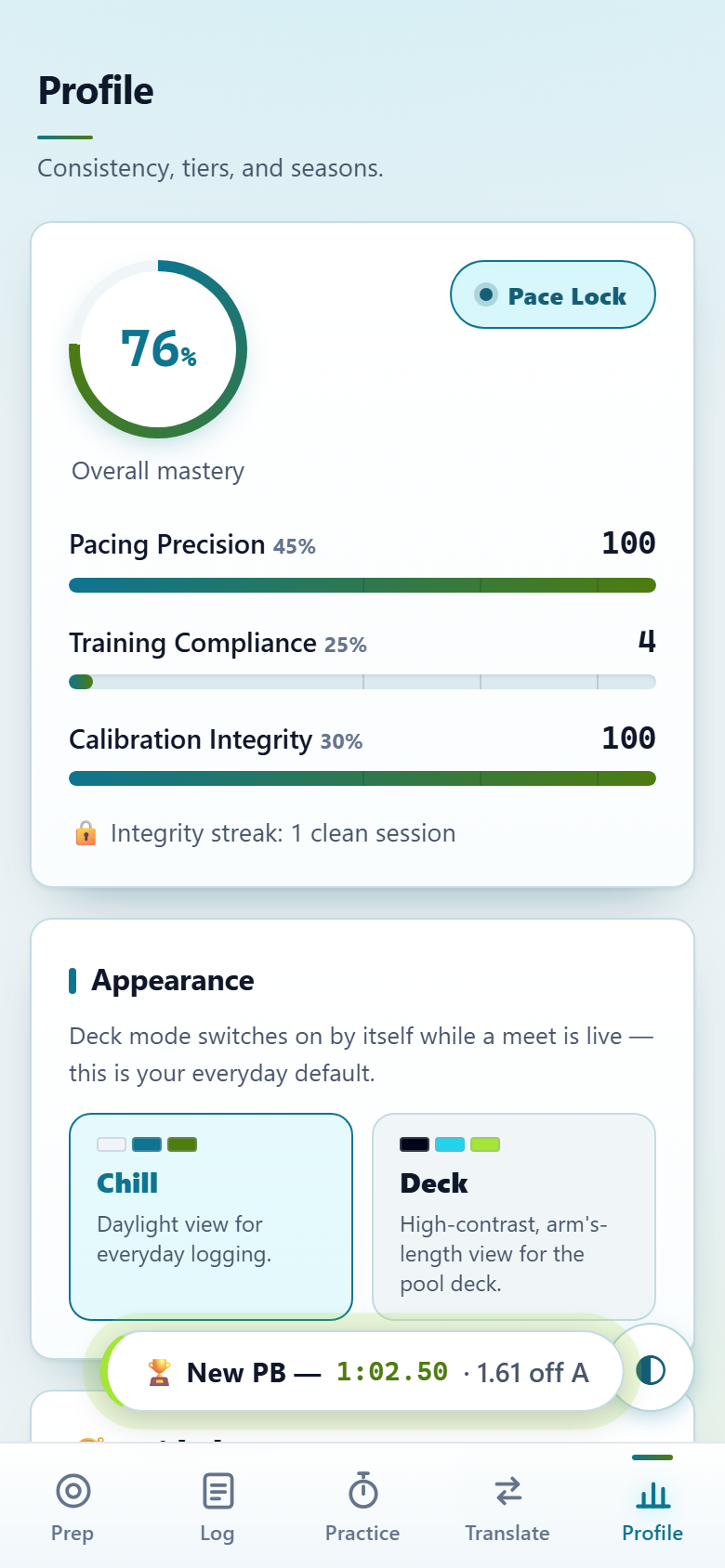
Fast swimmers already know they're fast. What actually moves a season is whether you show up, rate practice truthfully, and race the plan you made. So that's what Vecqua measures.
Pacing precision
How close your actual splits landed to the plan — not how fast they were. A controlled 1:12 can score higher than a ragged 1:09.
Integrity streak
Rate a hard practice honestly and the streak grows. Say you held pace when you didn't and it's you who gets the wrong projection next meet. Both answers score the same.
Calibration integrity
Make a plan and it opens a 72-hour window. Swim it, or scratch it cleanly — both are fine. Abandoning it quietly is the only thing that costs you.
Your times never leave your phone.
Vecqua has no server to send them to. Everything — every race, split, PB and season — is stored on your own device, and the app is designed to work with the meet Wi-Fi completely dead.
Straight answers.
Is it really free?
Yes — completely. No account, no subscription, no trial that expires. Open it and start.
Does it work on my iPhone?
Yes. In Safari, tap Share → Add to Home Screen. On Android or a computer, tap Install in Chrome or Edge. After that it launches full-screen like any app.
Does my data leave my phone?
Never. Vecqua has no server to send it to — every race, split, PB and season is stored only on your own device. You can export a backup file whenever you like.
Will it work when the meet Wi-Fi is dead?
That's exactly what it's built for. Once installed, the whole app runs offline — no signal needed behind the blocks.
What events does it cover?
50s, 100s and 200s in every stroke, across short-course yards, short-course metres and long-course metres — with the conversions modelled between them.
Put it on your home screen
before your next meet.
Installing is what makes Vecqua work on deck — once it's on your home screen the whole app runs with the meet Wi-Fi completely dead. Your next best time starts with a plan you can actually open behind the blocks.
Step 1 — opens Vecqua in your browser. Then add it to your home screen:
Step 2 · iPhone & iPad
In Safari, tap Share, then Add to Home Screen.
Step 2 · Android & desktop
In Chrome or Edge, tap Install in the address bar or menu.